The Wooting 80HE is one of the top gaming keyboards in 2026. It was tested by RTINGS among approximately 300 keyboards and ranked it at number one by PC Gamer. Its adjustable actuation, magnetic switches, and Rapid trigger features make it especially useful for high tech gamers.
Best Gaming Keyboard 2026: 7 Top Picks With Full Specs

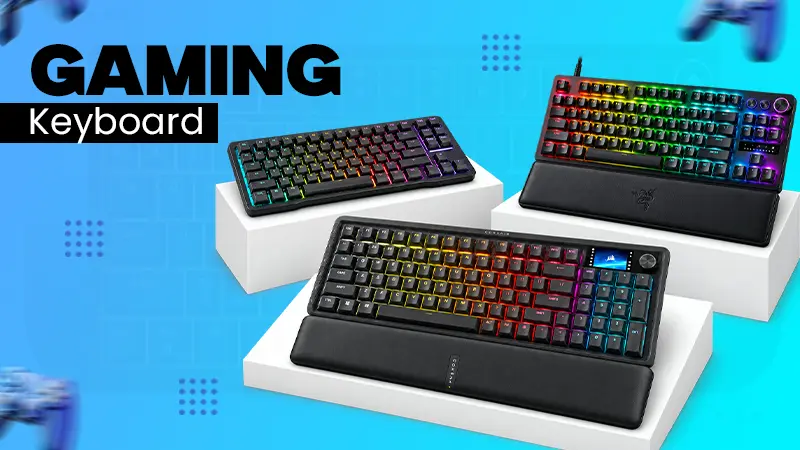
The best gaming keyboard depends on your game type, keys response, and its size. The Wooting 80HE is one of the best gaming keyboards in 2026. In this article you will get 7 best keyboards from affordable options to premium wireless deals.
Compare these options with models, brands, warranty period, switch comfort, price, weight, and connections. This guide will help you choose the best one.
Quick Answer
Which is the best gaming keyboard?
The Wooting 80HE is the best gaming keyboard in 2026. You can adjust key response and get precise control using its magnetic switches.
There are some other good options too such as Ranger Huntsman V3 pro TKL, Vanguard pro 96 and Keychrone K2 HE, depending on your gaming and typing needs.
Table of Contents:
1. Wooting 80HE
The Wooting 80HE is the best gaming keyboard made for competitive players featuring Lekker V2 magnetic switches. These allow you to adjust the activation point from 0.1 mm and 4.0 mm for each key. Wooting adds that the keys are immediately reset once the Rapid Trigger is released.
You will experience input speed of around 0.125 micro seconds with its Techyon mode. RTINGS shows it at the top rank in their lists. Moreover, you get adjustable and precise controls.
| Brand | Wooting (Netherlands) |
| Approx. price | 22,500/- |
| Connectivity | Wired USB-C, detachable 1.8 m braided cable |
| Dimensions | 346 x 142 mm |
| Layout | 80% tenkeyless |
| Model | Wooting 80HE (ANSI) |
| Switch type | Lekker L60 V2 or L45 V2 magnetic Hall effect |
| Warranty | 4 years |
| Weight | About 1.8 kg |
Pros:
- Wooting software is excellent and easy to use.
- Per-key actuation with Rapid Trigger and Rappy Snappy.
- A four- year warranty surpasses competitors.
Cons:
- Only available as a wired model.
- Standard plastic casing does not offer much flexibility.
Techyassist recommendation: Can be a great deal if you play shooting games and wish to customize your key settings.
2. Corsair Vanguard Pro 96
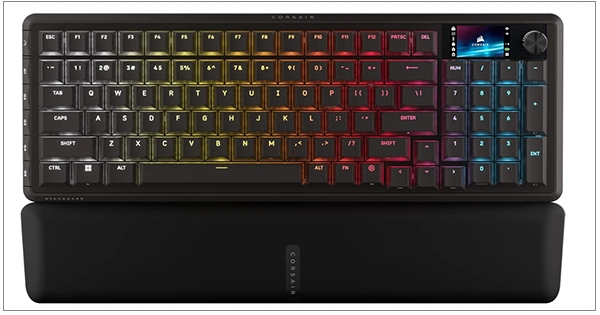
The Corsair Vanguard Pro 96 keyboard comes with MGX Hyperdrive magnetic switches and offers an impressive 8,000 Hz polling rate. The Corsair Vanguard pro 96 merges gaming performance with a practical 96% layout.
It retains useful elements like a number pad, a rotary dial, six G-keys and a 1.9 inch LCD screen. In spite of its compact design, it doesn’t remove essential controls and integrates with Elgato stream Deck for those who stream or need extra commands.
| Brand | Corsair |
| Approx. price | 38,207/- |
| Connectivity | Wired USB-C, detachable cable |
| Layout | 96% with number pad |
| Model | Vanguard Pro 96, part code CH-91E911G-NA |
| Onboard memory | 8 MB, five profiles |
| Switch type | Corsair MGX Hyperdrive magnetic Hall effect |
| Warranty | 2 years |
| Weight | About 1.095 kg |
Pros:
- Have a quad- layer sound dampening.
- You get an LCD screen, dial and macro keys all on one board.
- Integration with Elgato stream Deck.
Cons:
- The plastic build feels expensive for the price.
- Web hub software needs improvement.
Techyassist recommendation: Choose it if you want an esports level feature, a number pad and extra control for streaming.
3. Razer Huntsman V3 Pro TKL
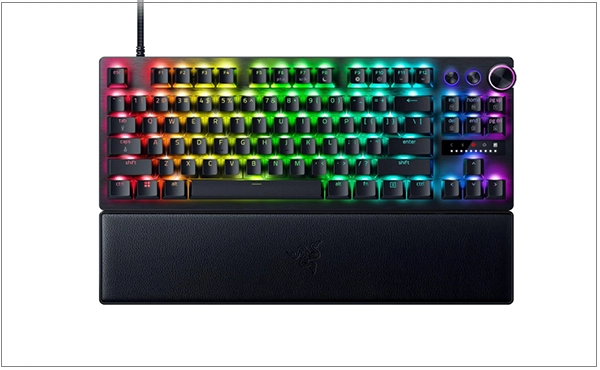
The Razer Huntsman V3 Pro features Razer analog optical Gen-2 switches, designed to handle 100 million keystrokes. You can tweak the actuation straight on the keyboard without needing any software.
It comes with Rapid Trigger mode and snap tap, which focus on the most recent directional input. The 8KHz version offers 8000 Hz polling. It makes TKL board a solid choice for gamers who need quick responses and want to excel in competitive esports play.
| Brand | Razer |
| Approx. price | $219.99 at launch, street price near $140 |
| Connectivity | Wired USB-C, detachable cable |
| Extras | Media dial, LED array indicator, wrist rest, six profiles |
| Layout | Tenkeyless, also sold in full size and 60% |
| Model | Huntsman V3 Pro TKL, RZ03-04980200-R3U1 |
| Switch type | Razer Analog Optical Gen-2, linear |
| Warranty | Up to 2 years |
| Weight | About 810 g |
Pros:
- Popular among professional esport players.
- Snap tap and Rapid Trigger as standard features.
- Allows actuation adjustment without software.
Cons:
- Synapse can be a heavy software.
- It lacks a hot swap rocket.
Techyassist recommendation: If you are looking for a reliable eSports keyboard backed by mature software support, this one is worth considering.
4 Asus ROG Strix Scope II 96 Wireless
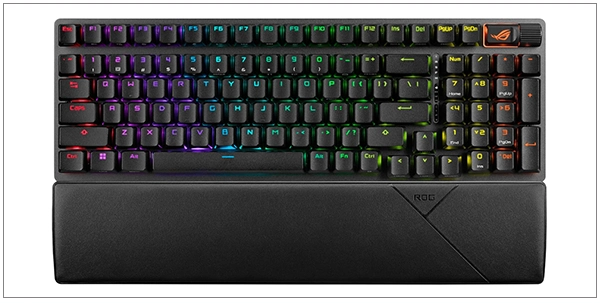
The Asus ROG Strix Scope II 96 is wireless gaming keyboard featuring hot swappable ROG Mechanical switches and follows a 96% layout. It supports tri-mode connection; wired, 2.4 GHz wireless, and Bluetooth.
With lighting off, the battery can last up to 1,500 hours on 2.4 GHz connection according to Asus. It also comes with a wrist rest, keycap puller and extender, which is convenient for gamers alternating between desktop and laptop use.
If you prefer wireless peripherals for a cleaner desk setup, consider how the keyboard will work alongside other accessories, including a portable charger for charging compatible mobile devices when you’re away from your desk.
| Brand | Asus ROG |
| Approx. price | 33,836/- |
| Battery | Up to 1,500 hours on 2.4 GHz, lighting off |
| Connectivity | Bluetooth 5.1 for three devices, 2.4 GHz SpeedNova, USB-C |
| Dimensions | 377 x 131 x 40 mm |
| Layout | 96% with number pad |
| Model | ROG Strix Scope II 96 Wireless |
| Switch type | ROG NX Snow linear or NX Storm clicky, pre-lubed |
| Warranty | 1 year limited |
| Weight | 1,012 g without cable |
Pros:
- You get extra tools such as wrist rest and keycap puller at no extra cost.
- You hardly sacrifice anything with its wireless capabilities.
- Very long battery life.
Cons:
- Many users find the Armoury crate software annoying.
- The Magnetic switch features are missing.
Techyassist recommendation: However if you are a gamer who wants one keyboard for both the best gaming laptop and an official PC, this setup works well.
5. Keychrone K2 HE
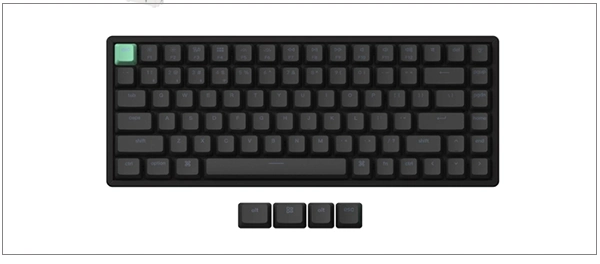
The Keychrone K2 HE is a versatile keyboard that works well for both gaming performance and everyday typing. It comes with Gateron double-rail magnetic switches with a wireless 75% aluminium frame, powered by a 4,000 mAh battery.
To increase typing comfort, it has several layers that absorb sound. It has keycaps suited for both Mac and Windows users. Its magnetic switches and wireless setup make it perfect for those who work during the day and play games at night.
For users who also rely on voice controls when working across devices, TechyAssist’s guide to Siri commands can help explain how Apple’s voice assistant handles everyday tasks.
| Brand | Keychron |
| Approx. price | 24,074/- |
| Battery | 4,000 mAh lithium polymer |
| Connectivity | 2.4 GHz, Bluetooth 5.2 for three devices, USB-C |
| Layout | 75%, 84 keys |
| Model | K2 HE, for example K2H-J1 |
| Switch type | Gateron Double-Rail Magnetic Nebula, Hall effect |
| Warranty | 1 year |
| Weight | About 980 g |
Pros:
- You get wireless features and magnetic switches at an affordable price.
- It is best for both typing and gaming.
- Compatible with Mac and Windows right out of the box.
Cons:
- Software is not as polished as Wootility.
- It is quite heavy and not exactly portable.
Techyassist Recommendation: It is a good choice if you want one keyboard for both daily work tasks and nighttime gaming sessions.
6. Lemokey L3
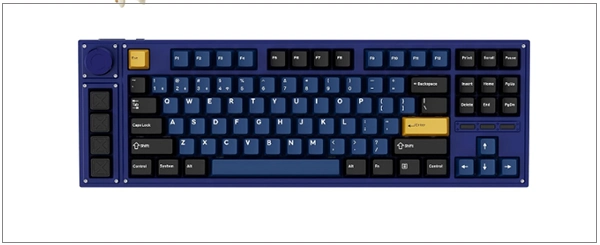
The Lemokey L3 keyboard is built to offer a comfortable typing experience while keeping handy features for gaming. According to Keychrone, its battery lasts up to 200 hours on 2.4 GHz with lighting off. The keyboard also offers hot-swap sockets, compatibility with QMK or VIA, a rotary knob, and dedicated macro keys.
It achieves a refined sound and solid feel with its double gasket mount, two foam layers, and CNC aluminium case.
A comfortable setup can also include accessories for other activities. For instance, a best fitness tracker guide can help readers compare wearable devices for monitoring activity and workouts away from their gaming desk.
| Brand | Lemokey, a Keychron gaming brand |
| Approx. price | 13,680/- |
| Battery | 4,000 mAh, 200 hours on 2.4 GHz or 300 hours on Bluetooth, lighting off |
| Connectivity | 2.4 GHz, Bluetooth 5.1 for three devices, USB-C |
| Layout | 80% tenkeyless with macro column and knob |
| Model | Lemokey L3 |
| Switch type | Gateron Jupiter Red, Brown or Banana |
| Warranty | 1 year |
| Weight | About 1.97 kg |
Pros:
- Better sound quality than the latest gaming keyboards.
- You can enjoy hot- swap sockets and QMK or VIA compatibility.
Cons:
- The polling rate is 1000 Hz instead of 8,000 Hz.
- It’s quite heavy and not exactly portable.
Techyassist recommendation: Go for it if comfort in typing is your top priority over gaining tiny milliseconds in speed.
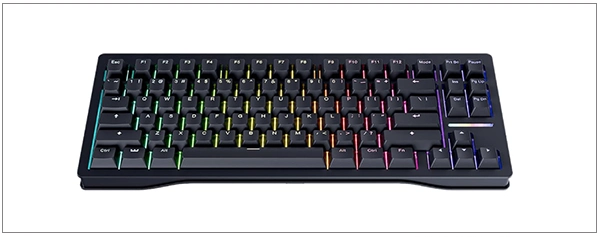
7. Gamakay x NaughShark NS68
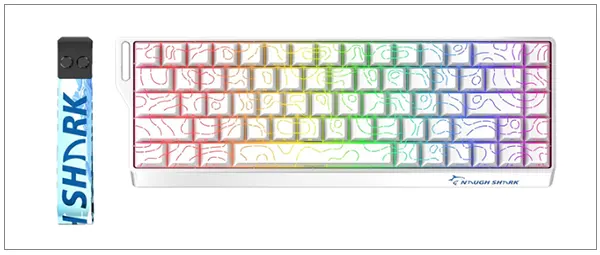
The Gamakey x NaughShark NS68 is a compact and affordable 65% gaming keyboard. It has Outemu peach crystal magnetic switches. It supports 8,000 Hz polling rate and has a fast response time of 0.125 ms.
Its small design saves desk space for your mouse. Users get advantage from snap tap functionality, hot swappable socket, and durable PBT keycaps. This is the best choice for students or new gamers who want modern gaming features at an affordable price.
| Brand | Gamakay |
| Approx. price | 9,687/- |
| Connectivity | Wired USB-C, a tri-mode wireless version is also sold |
| Layout | 65%, 68 keys |
| Model | NS68 |
| Switch type | Outemu Peach Crystal magnetic Hall effect, linear |
| Warranty | Not published by the brand, check the seller |
| Weight | About 762 g |
Pros:
- You will find it as one of the best budget gaming keyboards.
- It also includes PBT keycaps and hot swap sockets.
- It is compact in size which makes it great for mouse movement too.
Cons:
- The warranty terms are not explained very clearly.
- There are neither function rows nor dedicated arrow keys.
- It has no onboard profile storage.
Techyassist recommendation: This keyboard is a best option for students and beginner gamers who want useful gaming features without spending much money.
How to Choose the Best Gaming Keyboard
Before you buy a gaming keyboard, you had better choose a switch type. Then choose the size and connection.
Here are some important things that you should check first;
- Size: Tenkeyless keyboard, 65%, 75% gives your mouse more space to move. If you need a number pad, go for a full size or 96% layout.
- Switch Type: Magnetic or linear are good for shooter games. For a mix of gaming and everyday typing, tactile switches are a good choice. Cherry says its MX switches can handle more than 100 million keystrokes.
- Connection: For gaming, a 2.4 GHz wireless or USB-C connection is the better choice. Bluetooth is useful for laptops and everyday use, but it may have more delay.
- Build: Look for features such as PBT keycaps, a gasket mount, and hot-swappable switches. If you use a laptop for both gaming and everyday work, you may also want to compare accessories such as an external hard drive for additional storage.
- Warranty and Support: Before buying , it is better to look into the warranty details. Warranties can range from 1 year to 4 years, so a longer warranty can be helpful when comparing prices.
Honest Opinion: The buzz around the 8,000 Hz polling rate is mostly overstatement. RTINGS has tested it but found no major difference while playing games. Instead of spending extra on that feature, you should rather spend that money on better switches and a strong build quality.
Do’s and Don’ts of Best Gaming Keyword
Do’s:
- Check switch samples first or have a visit to any nearby store how new keys really feel.
- Buy hot-swap if you are not sure which switches you will like, a hot – swappable keyboard gives you the option to change them later.
- Check how long the warranty lasts and about the return policy before making a purchase.
- Read the latest reviews from sources like RTINGS or PC Gamer, keep in mind that opinions and ranking for keyboards might change over time.
Don’ts
- Never choose a keyboard just by its fleshy RGB lighting and a big brand name.
- Do not use Bluetooth for high tech games if the keyboard comes with a 2.4 GHz wireless dongle.
- Do not rely too much on advertised battery life, it often assumes the lighting is turned off, so real world results can be different.
- Do not forget that a higher polling rate will not necessarily improve your target.
Conclusion
The best gaming keyboard depends on your games, desktop setup and hand size. For high shooting games, the Wooting 80HE outperforms with strong performance and a four years warranty. However for regular tasks and gaming experience, the Keychrone K2 HE can be a better choice.
But if your budget is tight, the Gamakey NS68 stands out as a strong choice. Always check the specifications and the latest price before buying.
FAQs
Q1) Which is the best gaming keyboard in 2026?
Q2) How long is the Warranty on a gaming keyboard?
The warranty period totally depends on the brands. Users get a four year warranty for the Wooting 84HE gaming keyboard whereas Keychrome and Asus give only one year. Corsair and Razer give up to 2 years. For budget brands, warranty coverage can sometimes depend on the seller.
Q3) Does Keyboard weight matter for gaming?
Yes, in certain cases it does. Heavy keyboards like the Lemokey L3 remain stable when you are moving the mouse fast. On the other hand, light boards such as the NS68 are easy to carry around. Although Stability often comes with rubber feet more than just being heavy.
Q4) Are wireless gaming keyboards slower than wired ones?
Not necessarily, if you are using the 2.4 GHz built-in dongle, it is designed for low latency gaming. Bluetooth keyboards are not as fast as wired. Therefore, you had better buy them for office, personal, or freelance work rather than playing high tech games.
Q5) Are affordable gaming keyboards worth buying?
Yes, budget gaming keyboards like the Gamakey NS68 are good options for gamers with tight budgets. You will get 8,000 Hz polling, Hall effect switches, and Rapid triggers all under 10k. But you will miss out better built quality, warranty support and onboard storage.
Q6) What is the perfect size for FPS games?
If you want to buy a keyboard for FPS games like Call of Duty or Valorant, Tenkeyless keyboards can be the best option with 65% or 75%. You do not have a separate number pad thus will get more mouse space.
Resources
Wooting 80HE by Wooting
Gamakey x NaughShark NS68 by Amazon
Lemokey L3 keyboard by Amazon
TRENDING POST
Best Gaming Keyboard 2026: 7 Top Picks With Full Specs
AirTag Battery Guide 2026: Life, Charging, and Replacement
Siri Commands in 2026: Full List of iPhone Voice Commands