Ans: The picture quality is one of the biggest strengths of the ASUS PG32UCDM. The strong contrast and rich colors make the dark scenes look good by turning off the individual pixels completely.
Asus ROG Swift OLED PG32UCDM: Is It the Best Choice for Your Setup or Not?

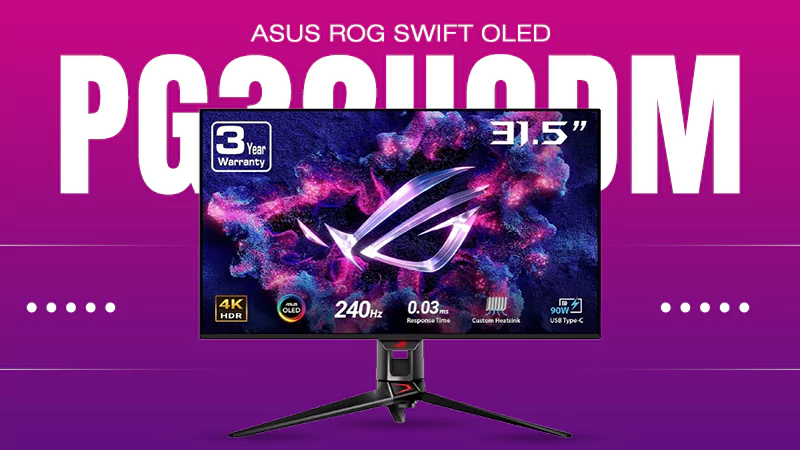
The Asus ROG Swift OLED PG32UCDM is a premium-range gaming monitor that comes with a top-tier 32-inch 4K (3840 x 2160) 240Hz QD-OLED screen, with stunning HDR visuals, 1000-nit peak brightness, an instantaneous 0.03ms response time, and strong connectivity including HDMI 2.1 and USB-C with 90 W power delivery.
Go through the review ahead and check out more of the technical specifications, pros, cons, and a complete review to see if it is worth buying or not.
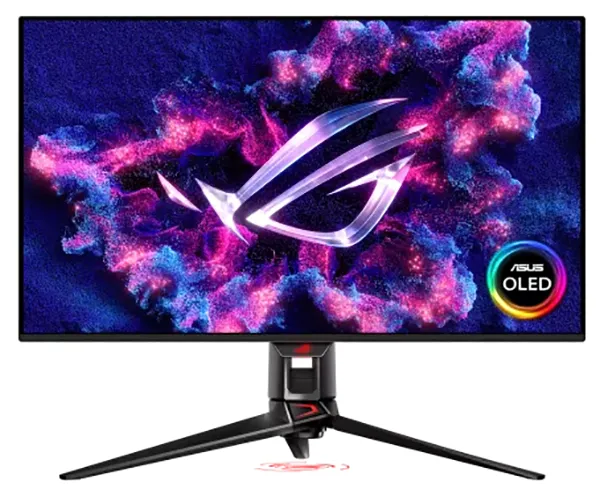
Major highlights of the ROG Swift OLED PG32UCDM
- Custom heatsink
- Ergonomic stand
- Built-in KVM switch
- HDMI 2.1 ports
- Display widget center
- Offers a high-resolution (3840 x 2160) pixel layout with 32-inch 4K UHD ultra resolution, 240 Hz, and 0.03ms response time
Table of Contents:
- ASUS ROG Swift OLED PG32UCDM Price Segment
- Specifications of ASUS ROG Swift OLED PG32UCDM
- Display and Screen of ASUS ROG Swift OLED PG32UCDM
- Durability and Longevity of ASUS ROG Swift OLED PG32UCDM
- Software of ASUS ROG Swift OLED PG32UCDM
- Pros and Cons of Buying ASUS ROG Swift OLED PG32UCDM
- Is It Worth Buying or Not?
- Conclusion
- FAQs
ASUS ROG Swift OLED PG32UCDM Price Segment
This ASUS ROG Swift OLED PG32UCDM belongs to a premium segment and competes with many high-priced monitors in this range. It is currently priced at Rs.179,990 in India. The target audience of this high-priced monitor is competitive gamers who want to make zero compromises on their gameplay and gaming setup.
The device offers great performance and one of the best gaming setups and visual appeal, but the high cost of this monitor makes it a luxury purchase and out of reach for people with a low budget. For buyers who are still looking for something in the budget-friendly price segment, they can always go for a gaming laptop and enjoy the experience without paying this huge sum.
Specifications of ASUS ROG Swift OLED PG32UCDM
The first thing that you look at before buying a gaming monitor is the specifications and features. This tells you about the compatibility of the device with your gaming practices and also tells you whether it can handle the amount of gaming you do or not.
Go through the specifications of the ASUS ROG Swift OLED PG32UCDM to make an informed decision.
| Specifications | Details |
| Brand | ASUS |
| Model Name | ASUS ROG Swift OLED PG32UCDM |
| Monitor Type | 32-inch QD-OLED Gaming Monitor |
| Screen Size | 32-inch (Viewable) |
| Panel Technology | Quantum dot OLED (QD-OLED) |
| Native Resolution | 4K UHD (3840 X 2160 pixels) |
| Refresh Rate | 240 Hz |
| Response Time | 0.03ms (GTG) |
| Peak Brightness | 1000 NITS (HDR Peak) |
| Contrast Ratio | 1,500,000:1 (Typical/Infinite) |
| Color Gamut | 99% DCI-P3 |
| Color Depth | True 10-bit |
| Color Accuracy | Delta E < 2 |
| HDR Support | HDR10, Dolby Vision |
| Adaptive Sync | AMD FreeSync Premium Pro & G-SYNC Compatible |
| Cooling System | Custom Heatsink & Graphene Film |
| Panel Protection | ASUS OLED Care (pixel cleaning, screen move) |
| Video Inputs | 1x DisplayPort 1.4 (DSC), 2x HDMI 2.1 |
| USB-C Connection | 1x USB-C (DP Alt Mode) with up to 90W Power Delivery |
| USB Hub | 3x USB 3.2 Gen 1 Type-A ports |
| Audio Ports | Earphone jack, SPDIF optical out |
| Special Technologies | KVM Switch, Extreme Low Motion Blur, Shadow Boost |
| Software Control | ASUS DisplayWidget Center |
| Stand Adjustment | Tilt, swivel, height adjustable |
| Extra Mounting | 1/4″ Tripod Socket on top of stand |
Fun Fact: “The smart KVM switch” in this monitor lets you control two different computers using just one keyboard and mouse plugged into the monitor.
Display and Screen of ASUS ROG Swift OLED PG32UCDM
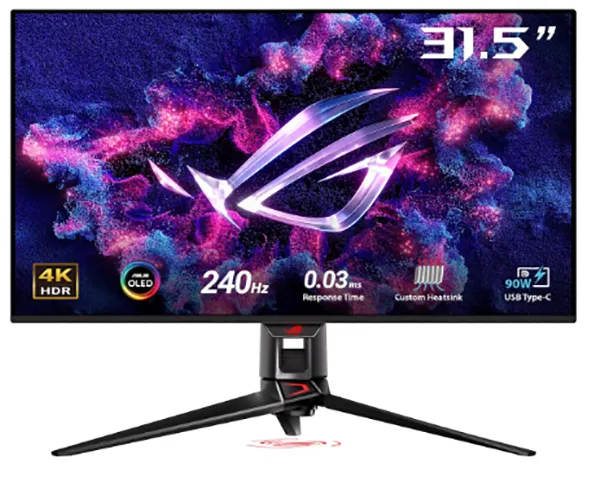
The Asus ROG Swift OLED PG32UCDM is a QD-OLED gaming monitor that comes with a 32-inch viewable display with a 240 Hz refresh rate, 0.03ms response time, and 4K (3840 x 2160) resolution.
This helps gamers by making the game look real by controlling how fast, smooth, and clear the action looks.
| Display and Screen Specifications | Details |
| Panel Size | 32 inches (flat screen) |
| Resolution | 4K UHD (3840 x 2160) |
| Refresh Rate | 240 Hz |
| Response Time | 0.03ms (GMT) |
| Panel Technology | QD-OLED (with newer Gen3/BlackShield anti-reflective and scratch-resistant coating options) |
| Color Depth and Gamut | True 10-bit color with wide color gamut coverage (99% DCI-P3) |
| HDR Support | Dolby Vision, HDR10, and DisplayHDR True Black certification |
Durability and Longevity of ASUS ROG Swift OLED PG32UCDM
Buying a high-end OLED device costs a lot of money. Therefore, knowing how long your screen will last and how well it handles burn-in is very important.
The ASUS ROG Swift OLED PG32UCDM features an advanced custom heatsink and specialized graphene films behind the 32-inch 4K QD-OLED panel, which pull the heat away from the monitor to prevent burn-in and help it last for a longer period of time.
Build Quality and Durability
ASUS ROG Swift OLED RG32UCDM is built with a sturdy aluminum alloy stand and a robust rear chassis layout, avoiding cheap plastic, which makes it easy to use and to do non-stop heavy gaming.
Some more reasons why this monitor is considered durable are:
- Functional Design: Built-in heavy-duty stand that supports smooth and solid height adjustment, tilt, and 360-degree rotation.
- Thermal Management: Efficient at pulling heat away from the electronics without requiring a noisy internal cooling fan, which reduces the long-term mechanical failure risks.
- Sleek Profile: It is exceptionally thin at the top where the QD-OLED module is placed, which helps the monitor keep the heavy parts stable near the bottom.
Longevity
ASUS ROG Swift OLED PG32UCDM is built with third-generation QD-OLED technology, a custom heatsink, and specialized graphene films, which help the monitor function well and maintain longevity.
A few more reasons for the device’s longevity are:
- Lower Operating Temperatures: It directly reduces the negative impact of heat that makes the device’s screen wear out and causes permanent shadows.
- 3-Year Burn-in Warranty: The device is backed by an official manufacturer warranty that specifically covers burn-in issues under standard user conditions.
- Adjustable Logo Brightness: Detects bright logos quickly and lowers their luminance to prevent premature subpixel burnout.
Software of ASUS ROG Swift OLED PG32UCDM
The ASUS ROG Swift OLED PG32UCDM comes with very useful software that makes the monitor easy to control and switch between different modes according to the requirements. It has an ASUS DisplayWidget center, which directly gives users access to adjust monitor settings from the PC without using the monitor’s physical controls.
Some more useful software features of this device that you should know are:
- Aspect Ratio Control: This feature allows users to select different screen sizes for a better and more suited gaming experience.
- OLED Protection: The OLED protection includes features such as Pixel cleaning, screen move, and screen saver, which help protect the OLED panel and reduce screen degradation.
- Logo Brightness Adjustment: It helps reduce the brightness of static logos to even out the pixels, Extends monitors lifespan, and protects the monitor.
Also Read: Best Chromebook in 2026: Top 6 Picks, Specs, and Price in India
Pros and Cons of Buying ASUS ROG Swift OLED PG32UCDM
Before buying a product, it is very important to know the strengths and limitations of the device. This helps you figure out the features of the device and whether it matches your daily needs and requirements or not.
Here are the pros and cons of the device:
| Pros | Cons |
|
|
|
|
|
|
|
|
Also Read: 8 Best CPU for Multitasking: Options, Features, Best Use Case, and Prices Covered
Is It Worth Buying or Not?
Deciding whether this device is worth buying or not depends on the needs and wants of the buyer. You can read this whole article and decide whether this device is suitable for you or not by looking at all the specifications, pros, and cons of the device. If it fits in your area of interest, you can definitely go for it.
You can buy this device if you are looking for the features mentioned below:
- Extremely Fast Response Time: The 0.03ms response time keeps fast-moving objects clear and prevents motion blur, making it one of the best choices for a fast-paced gaming experience.
- Convenient Software: ASUS DisplayWidget Center makes it very easy to change the monitor settings from the computer directly, so you don’t have to depend completely on the physical controls of the monitor.
- Premium Gaming Experience: This device is a combination of 4K resolution, QD-OLED technology, a 240 Hz refresh rate, HDR, and strong connectivity, making this monitor suitable for high-end gamers.
Conclusion
The ASUS ROG Swift OLED PG32UCDM, despite being a gaming monitor, can be used for movies and everyday work. The price might be higher than other alternatives for this device, but the screen quality, smooth performance, strong build, and useful features make it a sustainable device for long-term use.
Go through this review guide, study all the technical specifications, and compare them with your requirements to make an informed buying decision.
FAQs
Q1. Does ROG Swift OLED PG32UCDM have good picture quality?
Q2. What resolution does the PG32UCDM support?
Ans: The ASUS ROG Swift OLED PG32UCDM features a 3840 × 2160 4K UHD resolution, the best. This provides detailed and sharp images, making it a great choice for modern PC gaming, console gaming, movies, and everyday productivity. Making this a premium gaming monitor.
Q3. Can the PG32UCDM be used for work?
Ans: Yes. It might be primarily designed as a gaming monitor, but its 4K resolution, accurate colors, large 32-inch screen, and USB-C connectivity make it suitable for doing office work, video editing, and general everyday use.
Sources:
ROG Swift OLED PG32UCDM by ROG ASUS
ASUS ROG Swift OLED PG32UCDM gaming monitor -by Amazon
TRENDING POST

7 Best Folding Phones in India: Top 7 Deals
Best Gaming Keyboard 2026: 7 Top Picks With Full Specs
AirTag Battery Guide 2026: Life, Charging, and Replacement