Ans: No, it feels like a real computer. The A18 Pro chip matches the multi-core muscle of the legendary M1 chip and yields single-core speeds closer to the M3.
MacBook Neo Reviews: Is it Value for Money or Not?

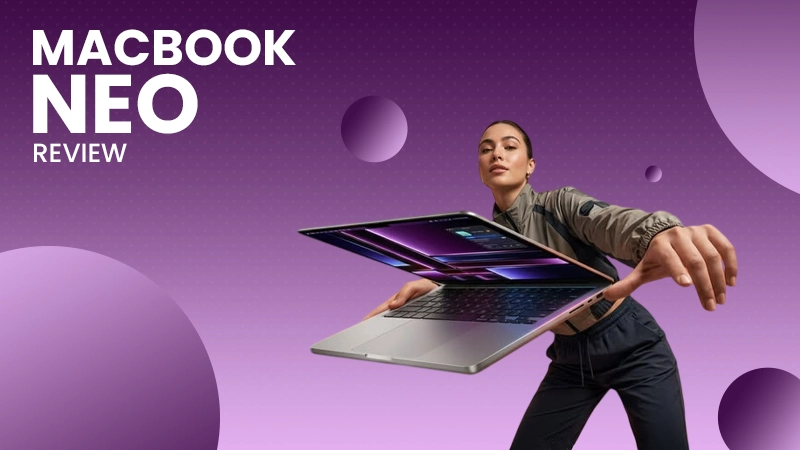

Apple MacBook Neo is one of the new launches and came out as one of the most budget-friendly Mac laptops. After the launch of the new MacBook Neo, there has been buzz that the MacBook Air is no longer the only answer if you want to enter Apple’s ecosystem. This is somewhat true as well.
The MacBook Neo reviews suggest that if you are planning to buy a laptop for regular work, a little editing, and gaming, etc., and on a budget, then the Apple MacBook Neo is the best choice for you.
Major key highlights of the Apple MacBook Neo
- Powered by a 6-core CPU and 5-core GPU
- A 13-inch screen featuring a 2408-by-1506 resolution, 500 nits of brightness, and support for 1 billion colors.
- Offers up to 16 hours of video playback on a single charge
- Includes a 1080p FaceTime HD camera with dual mics with voice isolation, and side-firing speakers supporting Spatial Audio and Dolby Atmos.
- Features a 16-core Neural Engine built to run on-device Apple intelligence features safely and privately.
Table of Contents:
MacBook Neo Price Segment
The Apple MacBook Neo belongs to the mid-range and budget-friendly segment in India. It is positioned in the price bracket of ₹79,000- ₹89,000.
It is Apple’s most affordable entry-level laptop, undercutting the MacBook Air and competing directly with Windows ultrabooks.
Official Pricing and Segment:
- 256 GB storage model: Starts at an MRP of ₹79,900 (with student and educational pricing, it drops down to ₹69,900)
- 512 GB variant: Retails around ₹89,900 in India currently.
The price of the MacBook Neo may vary during sales or when additional offers can be combined. To get the best deal, always check the latest discounts and available offers before making your purchase.
Specifications
The specifications of the product tell you how well a product is fit for you and whether it is worth buying or not. Here are the specifications of the MacBook Neo to give you a clear insight into the product.
| Features | Details |
| Brand | Apple |
| Model | MacBook Neo |
| Colour | Silver, Blush, Citrus, Indigo |
| Chip | Apple A18 Pro chip |
| Operating System | Full macOS operating system |
| CPU | 6‑core CPU with 2 performance cores and 4 efficiency cores |
| GPU | 5-Core GPU |
| Memory | 8 GB |
| Storage | 256 GB variant and 512 GB variant |
| Display | Liquid Retina display |
| Brightness | Up to 500 nits |
| Frequency | 50hz to 60hz |
| Resolution | 2408×1506 native resolution |
| Charging |
|
| External Display Support | Supports one external display up to a native resolution of 4k at 60hz |
| Video playback | Supported formats include HEVC, H.264, AV1 and ProRes HDR with Dolby Vision, HDR10+/HDR10 and HLG |
| Audio playback | Supported formats include AAC, MP3, Apple Lossless, FLAC, Dolby Digital, Dolby Digital Plus and Dolby Atmos |
| Keyboard and Trackpad |
|
| Wireless | Wi-Fi 6E (802.11ax) Bluetooth 6 |
| Camera |
|
| Audio |
|
| Size and Weight |
|
| In the box |
|
Display and Screen Quality
The display is the first thing that someone looks at when buying a laptop. Let’s look at the features of the display of the Apple MacBook Neo.
The features of the display of the Apple MacBook Neo are:
- 13.0-inch LED-backlit IPS display (33.02 cm diagonal)
- 2408 x 1506 native resolution at 219 pixels per inch (PPI)
- 500 nits of peak brightness, making it comfortable for sunlit indoor rooms
- Standard 60 Hz refresh rate
- Supports 1 billion colors using the standard sRGB color
- Includes an anti-reflective layer to reduce glare under harsh lighting conditions
- Designed without a display notch at the top edge
Also Read: How to Pair AirPods to MacBook? 8-Step Solution That Always Works
Durability
The Apple MacBook Neo features a durable aluminium unibody that provides excellent structural strength. Combined with a rigid, flex-free chassis and an improved repairable design, it is built to withstand years of everyday use.
Now, the durability can be tested on two grounds: external build and internal longevity.
Let’s look at both aspects of the MacBook Neo:
1. External Build
- Aluminium Unibody: The seamless, single-piece aluminium unibody is built to withstand daily use, helping prevent palm rest discolouration and preserving its sleek appearance for years.
- Weight and Portability: Weighs only 1.3 kgs, meaning it adds minimal strain when carried inside backpacks or handbags.
- Fanless Design: Engineered without a cooling fan, the MacBook Neo operates silently and features fewer mechanical components for long-lasting durability.
2. Internal Longevity
- Screwed-in Battery: Features a battery secured with screws rather than heavy adhesive glues, allowing straightforward replacements when capacity degrades.
- Modular Ports: Side ports and headphone jacks are designed as modular, swappable units instead of being permanently soldered to the main logic board.
Processor and Software
The software and processor of the MacBook are generally considered the best, but the MacBook Neo uses the Apple A18 Pro chip, which differs from those on other Macs.
Let’s learn more about the software and processor of the latest MacBook Neo:
Processor
- Architecture: Hexa-core CPU ( 2 performance cores and 4 efficiency cores) paired with a 5-core GPU.
- Performance: The MacBook Neo offers performance comparable to early M-1 series chips for standard tasks, optimized heavily for AI workloads, web browsing, and office apps.
- Memory: Configured with 8GB of RAM packaged directly with the chip.
Software
- Operating System: Runs full macOS Tahoe, giving a traditional Mac computing environment.
- App Compatibility: Supports standard built-in productivity applications like Safari, Pages, Calendar, Messages alongside heavy professional software like Final Cut Pro and Adobe Photoshop with performance boundaries.
- AI Integration: System-wide Apple intelligence tools natively embedded into core apps for text rewriting, transcriptions, and image generation.
Also Read: 10 Best Laptop Under 40000: Know Specs, Price, & Smart Tips
Advantages and Disadvantages of Buying a MacBook Neo
Every gadget that you buy has some advantages and disadvantages. Today we are going to talk about Apple’s latest and most affordable Mac, which is the MacBook Neo.
| Advantages | Disadvantages |
| Affordable Entry: It is Apple’s lowest-cost laptop. It also brings macOS and Apple intelligence within reach. | Severe Port Limits: USB-C ports lack Thunderbolt support, with restricted speeds and only support one external 4K monitor. |
| No Display Notch: This laptop features clean, uniform bezels without the intrusive camera notch found on Air and Air Pro models. | Audio Compromises: Dual side-firing speakers lack bass and sound when compared with other MacBooks. |
| Silent and Light: The MacBook Neo comes with a completely fanless design, which makes it run silently and also drops the weight of this laptop to just 1.2 kgs. | Base Specs Restrictions: The entry-level model starts with constrained 256 GB storage and skips Touch ID. All these specifications are required to upgrade your MacBook Neo to the high storage tiers. |
| Battery Life: Despite being so light and made in such a compact way, it still has a massive runtime and video playback for up to 16 hours on a single charge. |
Is MacBook Neo Worth Buying Over Other Macs?
When we want to buy a new device, the most basic thing we do is to compare the device with similar price points.
Similarly, if we want to buy a device from a particular brand, we compare it with the other devices in the same segment from the same brand.
Here is the comparison of the MacBook Neo, MacBook Air, and MacBook Pro.
| Aspects | MacBook Neo | MacBook Air | MacBook Pro |
| Processor | A18 Pro | M-Series (M2 to M5) | M-Series Pro/Max |
| Base RAM | Fixed 8 GB | Starts at 16 GB | Starts at 16 GB/18 GB+ |
| Display Size | 13-inch | 13.6-inch or 15-inch | 14-inch or 16-inch |
| True Tone display | No | Yes | Yes |
| Colour Gamut | sRGB | P3 Wide Colour | Liquid Retina XDR (P3) |
| Starting Price | Rs. 69,999 | Rs. 91,900 | Rs. 1,59,900 |
| Keyboard Backlight | No | Yes | Yes |
| Touch ID | Only on 512GB Tier | Standard on all models | Standard on all models |
| Trackpad Type | Mechanical click trackpad | Force Touch (Haptic) | Force Touch (Haptic) |
| Ports | Standard USB-c | Thunderbolt / USB-C | Thunderbolt, HDMI, SD card |
| MagSafe Charging | No | Yes | Yes |
| Speakers | Stereo Speakers | Four-Speaker System | Six high-fidelity speakers |
| Cooling System | Fanless | Fanless | Active cooling with fan |
| Exterior Design | Vibrant colours, Thick Bezels | Slim Profile, Notch Display | Pro Industrial Chassis |
| Memory Bandwidth | 60 GB/s (Slower Data transfer) | 153GB/s (Fast and fluid multitasking) | 150GB/s to 300+GB/s (Extreme pro-speed workflows) |
| Port Speed | 480 Mbps | Up to 40 Gbps | Up to 40 Gbps |
| Colour Options | Silver, Blush, Citrus and Indigo | Silver, Starlight Space Grey/Sly blue, midnight | Silver, Space black/grey |
| Battery Capacity | 36.5-watt-hour battery | 52.6 to 66.5-watt-hour battery | 72.4 to 100-watt-hour battery |
| External Display | One external display 4K at 60hz | Up to 2 external displays at 6K/60hz | Up to 3-4 external displays natively |
| Target Audience | Budget buyers, Students | General Daily Users | Power users, Video editors |
Now, after looking at and comparing all the aspects
- It is worth it if your daily computer use is not more than web browsing, streaming videos, and using basic apps; also, if you want the lowest-cost gateway into Apple’s ecosystem without buying a used machine, the Apple MacBook Neo will save you a lot of money.
- It is not worth it if you want to buy a laptop for heavy photo/video editing, multitask with dozens of heavy tabs, or require modern features like backlit keyboards and Touch ID from the base variant.
Conclusion
The MacBook Neo is a laptop that is the best choice if you are a student or looking for a budget-friendly Apple device. This laptop delivers what a student and a new user need. If you have been waiting to buy the perfect student laptop that is easy-to-use and offers a budget-friendly MacBook Neo, it is the best choice for you.
FAQs
Q1. Since the MacBook Neo uses an A18 Pro chip, does it feel like using a mobile phone?
Q2. How slow is the charging without MagSafe or fast charging?
Ans: It requires a little time to charge; plugging in with a 35W brick takes at least 2 hours and 20 minutes to charge fully.
The in-box 20W charger takes even more time to charge a 36.3-watt-hour battery.
Q3. How can we get Touch ID in the latest MacBook Neo?
Ans: To get Touch ID in the latest MacBook Neo, you will have to buy the slightly more expensive variant of 512GB or upgrade to custom models.
Q4. Why is MacBook Neo trending and gaining attention all of a sudden?
Ans: The MacBook Neo is trending and getting attention all of a sudden because it’s the first laptop from Apple in this price segment. It also did the record-breaking Mac revenue despite recent global memory-shortage price hikes.
TRENDING POST


Best Wireless Headphones in 2026: Top 10 Picks from India

Samsung S27 Release Date in India: Galaxy S27 Ultra, Price & Latest News

Oppo Reno 16 Review: Price, Specs, Camera and Verdict