Secure PDF timestamping uses cryptographic technology and a trusted third-party Time Stamping Authority (TSA) to establish evidence that a specific version of a PDF existed at a particular time.
Secure PDF Timestamping for Contracts, Invoices, and Records

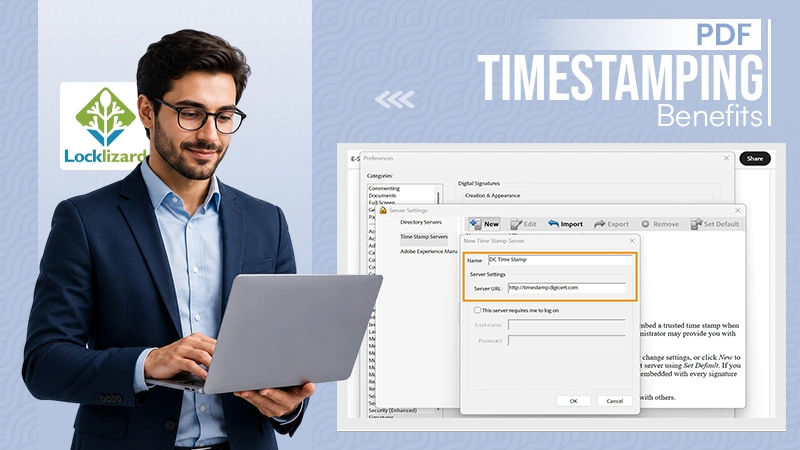
“Lost time is never found again.” – Benjamin Franklin (USA Founding Father)
For businesses, the problem is whether a document can be trusted to have existed in its current form at a particular time.
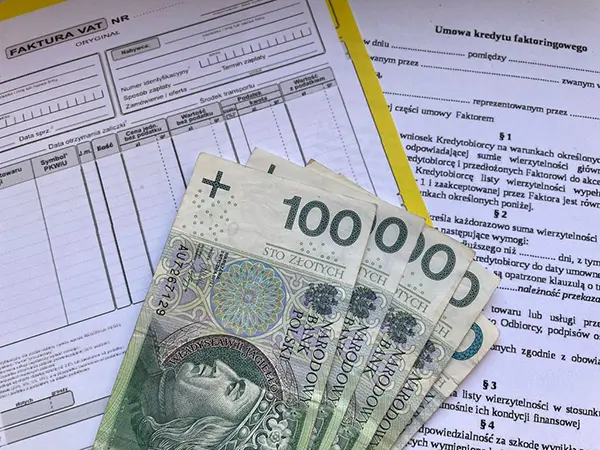
A contract can be disputed months after signing, an invoice demanded during a tax audit, or someone can claim a compliance record was modified. A file’s visible creation date is rarely enough to settle the dispute. Computer clocks can be changed, metadata can be edited, and documents can be overwritten.
Secure PDF timestamping for contracts, invoices, and records provides cryptographic evidence that connects a document to a specific point in time and makes subsequent changes detectable. When combined with digital signatures and long-term validation, trusted timestamps can create a durable integrity trail for contracts, invoices, financial records, and other sensitive PDFs.
Table of Contents:
The Fundamentals of Digital Timestamping for PDF Security
Digital timestamping is more than slapping a date on a file. It creates a mathematically verifiable link between a document’s content and a precise point in time, issued by a trusted third party. This process means that any change to the document after the timestamp, even a single character, violates the cryptographic seal and exposes the alteration.
Distinguishing Between System Time and Trusted Timestamps
Your computer’s clock is trivially easy to manipulate. Anyone can arrange their system time back three months, sign a PDF, and claim it was created in the past. A trusted timestamp, by contrast, comes from an external authority whose clock is synchronized to a steadfast time source (typically UTC via NTP servers). Courts and auditors recognize this distinction: system time proves nothing, while a trusted timestamp carries evidentiary weight.
The Role of Time Stamping Authorities (TSA)
A TSA is an independent server that accepts a hash of your document, attaches its own verified time, signs the result with its private key, and returns a timestamp token. The TSA never sees your document’s contents, only its hash, so confidentiality is preserved. Popular TSAs include DigiCert, GlobalSign, and FreeTSA, each operating under strict audit requirements to keep their clocks accurate and their signing keys protected.
RFC 3161 Standard and Cryptographic Hashing
RFC 3161 describes the protocol for how timestamp requests and responses are structured. Your PDF application generates a SHA-256 (or stronger) hash of the document, sends it to the TSA, and receives back a signed token containing the hash, the timestamp, and the TSA’s certificate. As the hash is a one-way function, even a tiny modification to the original PDF produces a completely different hash, making tampering immediately detectable.
Ensuring Legal Validity in Digital Contracts
A timestamp without legal status is just metadata. The real value comes when regulators, judges, and counterparties accept your timestamped PDF as proof of when an agreement was executed and that its terms haven’t changed.
Establishing Non-Repudiation in Business Agreements
Non-repudiation means a signer can’t afterward deny they agreed to specific terms at a specific time. Combining a qualified digital signature with a trusted timestamp creates a two-layer proof: the signature confirms identity, and the timestamp verifies the moment. If a dispute arises six months later, the timestamped PDF demonstrates the exact version both parties agreed to, down to the second.
Compliance with eIDAS and ESIGN Act Standards
Under the EU’s eIDAS code (updated through 2025-2026 revisions), qualified electronic timestamps carry the same legal presumption of accuracy as physical notarization. In the United States, the ESIGN Act and UETA grant electronic signatures and associated timestamps lawful equivalence to ink-on-paper, provided certain consent and retention requirements are met.
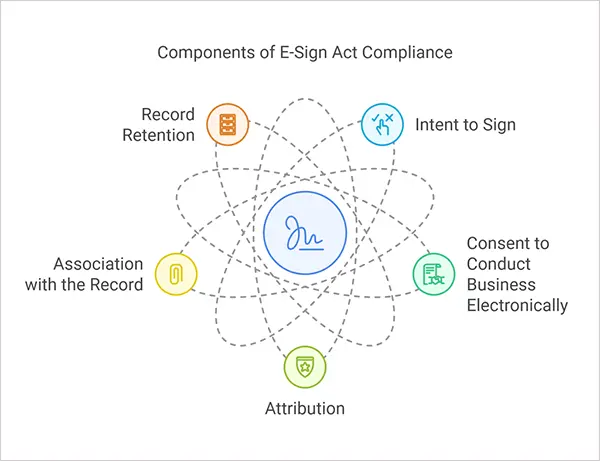
Businesses operating across borders need timestamps from TSAs that satisfy both frameworks.
Securing Financial Records and Invoices
Financial records face unique risks. A single altered invoice can cascade into incorrect tax filings, failed audits, and regulatory penalties. Timestamping invoices and financial records creates an unbroken chain of integrity from creation through archival.
Preventing Backdating and Fraudulent Alterations
Backdating an invoice to move revenue between quarters is a classic fraud technique. With cryptographic timestamping, the TSA’s independent verification makes this impossible to do undetected. If someone modifies an invoice after it’s been timestamped, the hash mismatch instantly flags the tampering. This protection applies equally to purchase orders, receipts, and expense reports.
Audit Trails for Tax and Regulatory Compliance
Tax regimes in over 60 countries now accept or require electronic invoicing with integrity controls. A timestamped PDF creates an audit trail that satisfies requirements under frameworks like SAF-T (Standard Audit File for Tax) and Sarbanes-Oxley Section 802. During an audit, you can show not just what a document says, but prove it hasn’t been altered since the date it was issued.
Long-Term Validation (LTV) for Permanent Records
A timestamp is useful if it can still be corroborated years or decades later. Certificates expire, algorithms weaken, and TSAs occasionally shut down. Long-term validation addresses all of these concerns.
PAdES Standards for Long-Term PDF Preservation
PAdES (PDF Advanced Electronic Signatures) explains profiles specifically for long-lived PDF signatures and timestamps. The PAdES-LTV profile embeds all the information needed to validate a signature and timestamp independently of external services: the signing certificates, the TSA certificates, and evidence that none were revoked at the time of signing. A PAdES-LTV-compliant PDF can be verified 20 years from now without contacting any server.
Embedding Revocation Information (OCSP and CRL)
OCSP (Online Certificate Status Protocol) responses and CRL (Certificate Revocation List) data prove that certificates were valid at the moment of timestamping. By embedding these directly into the PDF, you eliminate the risk that a future verifier can’t reach the original OCSP responder or CRL distribution point. Think of it as packing the receipt inside the parcel: everything needed for verification travels with the document itself.
Implementing Timestamping in Professional Workflows
Understanding the theory is one thing. Actually deploying timestamping across your organization requires practical integration with existing tools and processes.
Integrating TSA with Digital Signature Software
Most professional PDF tools, including Adobe Acrobat, Foxit, and open-source libraries like iText and Apache PDFBox, integrate TSA natively. Configuration typically requires just the TSA’s URL and, if using a paid service, authentication credentials. Once configured, every digital signature automatically includes a trusted timestamp with no additional effort from the signer. The setup takes about 10 minutes per application.
Automating Batch Timestamping for High-Volume Invoicing
Firms generating hundreds or thousands of invoices daily can’t timestamp each one manually. Batch timestamping solutions, often built on iText or custom API integrations, process entire directories of PDFs in seconds. Some enterprise platforms like DocuSign and Adobe Sign have automated timestamping as part of their signing workflows. The key is choosing a TSA that offers high throughput without per-stamp pricing that scales painfully.
Future-Proofing Sensitive Document Integrity
Quantum computing poses a genuine, if not yet immediate, threat to current cryptographic algorithms. SHA-256 and RSA-2048, the backbone of most timestamping today, may eventually become vulnerable. Forward-thinking institutions are already planning migration paths to quantum-resistant algorithms like those standardized by NIST in 2024. Re-timestamping archived documents with stronger algorithms before the old ones weaken is a practical strategy that preserves integrity across decades.
The blend of trusted timestamps, LTV-enabled signatures, and periodic algorithm upgrades creates a defense-in-depth approach to document integrity. No single layer is perfect forever, but together they ensure your contracts, invoices, and records stay verifiable and legally sound for as long as you need them.
If you’re looking to go beyond timestamping and protect sensitive PDFs from unauthorized access, copying, and redistribution, Locklizard provides document security and DRM solutions purpose-built for that challenge.
FAQs
What is secure PDF timestamping?
Is a PDF timestamp legally valid?
A trusted timestamp can provide useful evidence of a document’s existence and integrity, but its legal effect depends on the jurisdiction, applicable regulations, signature type, and circumstances of the transaction.
Can a timestamp prevent someone from editing a PDF?
No. But it makes changes to the timestamped version detectable because modifying the PDF changes its cryptographic hash.
TRENDING POST

9 Best External Hard Drives: Price, Specs, & Smart Tips

Alexa Commands: 80+ Best Commands to Try on Your Echo Alexa

Budget Studio Lighting Setup: Prolite PL150 + Digitek Softbox Review