The best Chromebook for students is the Acer Chromebook Plus 1315U is the best Chromebook on Flipkart under 30,000/-. With an Intel Core i3 chipset, a 15.6 inches screen, 8 GB RAM, and 256 GB SSD storage it stands out from the rest.
Best Chromebook in 2026: Top 6 Picks, Specs, and Price in India

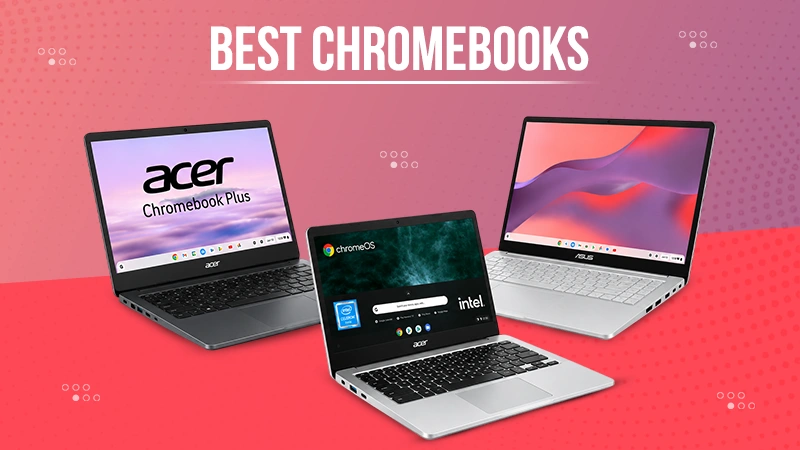
The best Chromebook for users in India totally depends on processor, screen quality, battery, and storage. The Acer Chromebook Plus 1315U stands out from the rest with an Intel Core i3 processor, 8 GB RAM, and 256 GB SSD storage. If you have a tight budget, you can choose the Lenovo Chromebook 11IJL9. For touchscreen buyers, the HP Chromebook X2 13B fits best. Students comparing Chrome OS laptops with Windows alternatives can also explore this guide on the best laptop for students before making a final choice.
Quick Answer:
The Acer Chromebook Plus 1315U is the best Chromebook now in India. An Intel Core i3 chipset with 8 GB RAM is much faster and can handle multiple tabs, applications, and light editing easily.
If you want to buy a touchscreen Chromebook, have a look at the HP Chromebook X2 13B. You can use it as a laptop and a tablet.
Table of Contents:
1. Acer Chromebook Plus 1315U
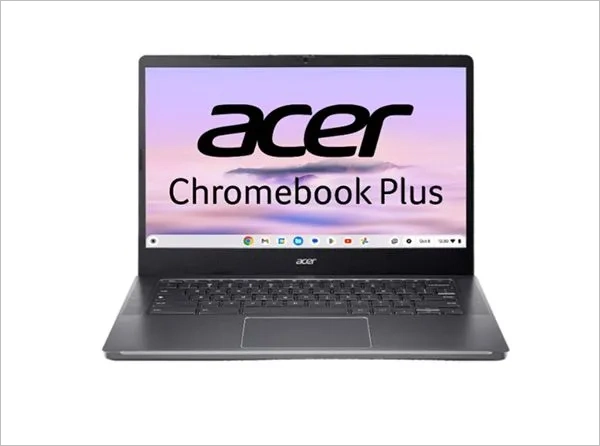
The Acer Chromebook Plus 1315U is the best Chromebook. It is especially for people who prefer a powerful laptop. With an Intel i3 chipset and 8 GB RAM, it can effectively handle multiple tasks at a time and light editing. You need not worry about storage capacity to save your video courses. Users who need a larger productivity-focused laptop can also compare it with the Lenovo ThinkBook 16 review for office work and multitasking.
| Specification | Acer Chromebook Plus 1315U (CB515-2H-34YL) |
| Weight | 1.68 kg |
| Storage | 256GB SSD |
| Screen resolution | 1920 X 1080 |
| RAM | 8GB LPDDR5 |
| Processor | Intel Core i3-1315U, 6 cores |
| Price | ₹28,990/- |
| Operating System | Chrome OS (Chromebook Plus) |
| Display | 15.6-inch FHD IPS |
| Dimensions | 360.6 x 238.4 x 199.5 mm |
| Pros | Cons |
| Core i3 processor is stronger than most Celeron chipsets. | 8 GB RAM can’t be upgraded as it is soldered. |
| 256 GB is double the storage to save anything. | It weighs more than other 14 inches Chromebooks. |
Techyassist recommendation: Buy this Chromebook only if your daily activity needs multiple applications and tabs. You get even more RAM and SSD storage type in it.
2. HP Chromebook X2 13B
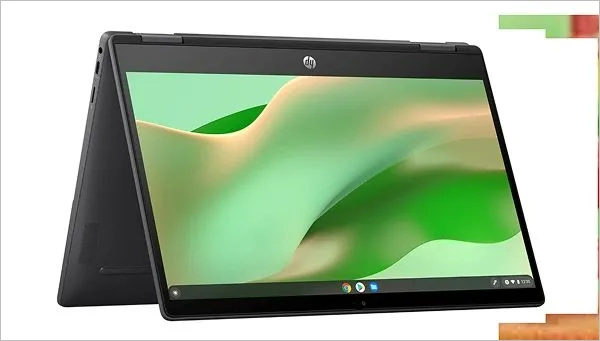
If you are looking for a compact size, lightweight, laptop with a 360 degree rotational screen, your search ends here. Buy the HP Chromebook X2 13B. It has a 13.3 inches touch screen display, which you can use as a bezel-less Chromebook tablet by folding it. The MediaTek Kompanio 1200 processor is perfect for streaming, using Android applications, and online study.
| Specification | HP Chromebook x2 13b (13b-ca0006MU) |
| Weight | 1.49 kg |
| Storage | 256GB SSD |
| RAM | 8GB LPDDR4X |
| Processor | MediaTek Kompanio 1200 |
| Price | ₹48,599/- |
| Operating System | Chrome OS |
| Graphic Processor | MediaTek Integrated |
| Display | 13.3-inch touchscreen, detachable |
| Brightness | 250 nits |
| Backlit Keyboard | Yes |
| Pros | Cons |
| You can use it not only as a laptop but also as a tablet after folding the keyboard. | It has fewer USB-A ports in comparison to other Chromebooks. |
| Kompanio chipset can automatically cool down the system without a cooling fan quickly. | Very expensive with a touchscreen display. |
Techyassist recommendation: If you are finding a touchscreen Chromebook, which you can even use as a tablet, choose this HP Chromebook X2 13B.
3. ASUS Chromebook CX15
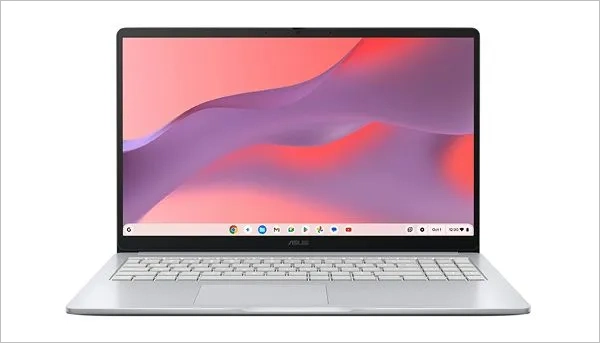
The Asus Chromebook CX15 is one of the best Chromebooks. With 8 GB RAM and 128 GB storage, it becomes a powerful laptop for everyday browsing, attending video calls, and using MS Office without any interruptions. If your budget is slightly flexible and you want a Windows laptop with similar everyday performance, check the Acer Aspire Lite AL15-41.
| Specification | ASUS Chromebook CX15 (CX1505CKA-S70180) |
| Weight | 1.59 kg |
| Storage | 128GB eMMC |
| RAM | 8GB LPDDR4X |
| Processor | Intel Celeron N4500, dual core |
| Price | ₹23,990 |
| Power supply | TYPE-C, 45W AC Adapter |
| Operating System | Chrome OS |
| Display | 15.6-inch FHD, anti-glare |
| Brightness | 300 nits |
| Pros | Cons |
| 8GB RAM gives better performance. | Average battery backup of around 6 hours. |
| A large screen of 15.6 inches. | Celeron N4500 fails to handle 20-plus tabs at the same time. |
Techyassist recommendation: In case your budget is around ₹25,000, you can choose this model. You get 8 GB RAM for multitasking and 128 GB storage to save pdf course and video lectures.
4. Acer Chromebook 314
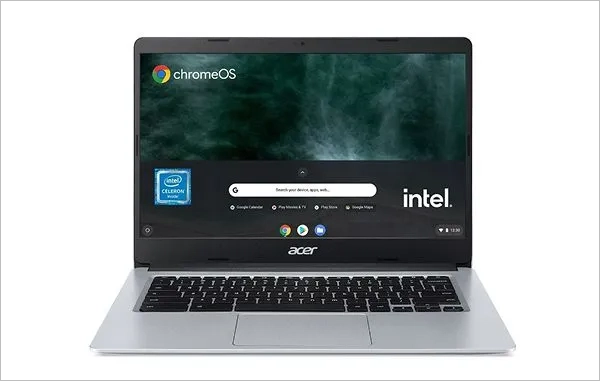
If like laptops with longer battery backup and faster boot up time, the Acer Chromebook 314 must be in your list. It is an almost bezel less Chromebook with a 14 inches screen. You can get more screen space on it in comparison to other pocket-friendly laptops. Buyers comparing Chromebook pricing with affordable Windows models can also see these options for a laptop under 40000.
| Specification | Acer Chromebook 314 (CB314-1H) |
| Weight | 1.5 Kg |
| Storage | 64GB eMMC |
| Screen resolution | 1366 x 768 Pixel |
| RAM | 4GB |
| Processor | Intel Celeron N4020, dual core |
| Price | ₹29,999/- |
| Operating System | Chrome OS |
| Graphic processor | Intel Integrated UHD 600 |
| Display | 14-inch, narrow bezel |
| Clock Speed | Max Frequency Up to 2.8 GHz |
| Battery | Up to 12.5 hours |
| Pros | Cons |
| Much faster boot up of around 8 seconds. | 4 GB RAM can’t handle multitasking smoothly |
| Longer battery backup of around 12 hours. | 64 GB internal storage is not enough to save notes and video lectures. |
Techyassist recommendation: It is one of the best Chromebooks for users who need a battery backup for a full day to attend online classes or meetings.
5. HP Chromebook 14A
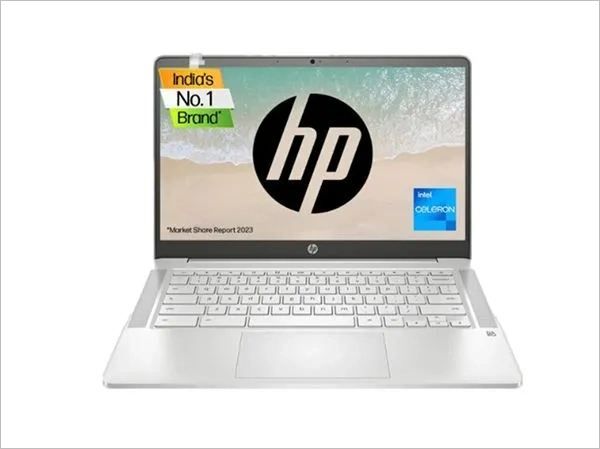
The HP Chromebook 14 A has 14 inches not only full HD but also touch screen display. The Celeron N4500 processor and Intel UHD graphics are enough to handle regular tasks. You can multitask and use multiple tabs smoothly. The HP charger is so powerful that it can charge this laptop quickly. It is a great machine for students.
| Specification | HP Chromebook 14A (14a-na1004TU) |
| Weight | 1.46 kg |
| Touch Screen | Yes |
| Storage | 64GB eMMC |
| RAM | 4GB LPDDR4X |
| Processor | Intel Celeron N4500 |
| Price (Flipkart) | About ₹17,888/- |
| Operating System | Chrome 64 |
| Number of cores | 2 |
| Graphic processor | Intel Integrated UHD |
| Display | 14-inch FHD IPS touchscreen |
| Pros | Cons |
| Touch screens are perfect for handling notes and studying from PDFs. | 4 GB RAM is for light use only. |
| Have fast charging system. | Does not have a backlit keyboard to work in low light conditions. |
Techyassist recommendation: You must buy the HP Chromebook 14A if your budget is tight and still need a laptop that has a touch screen.
6. Lenovo Chromebook 11IJL9
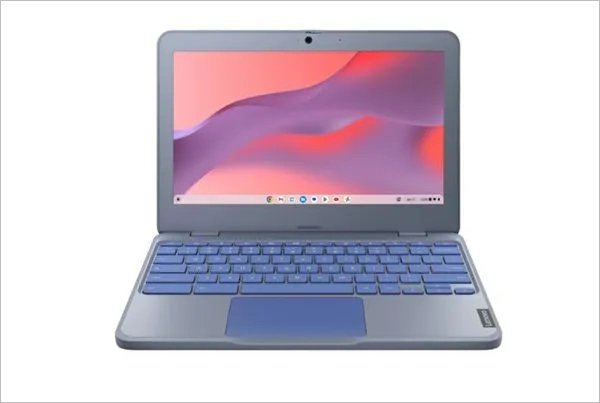
The Lenovo Chromebook 11IJL9 is an amazing laptop for users who have a tight budget. If your children need a laptop, you can gift them this Chromebook which can easily handle light load. Its 11.6 inches display and lightweight of 1.21 kg make it a great deal for people whose job requires travelling.
| Specification | Lenovo Chromebook 11IJL9 |
| Weight | 1.21 kg |
| Storage | 64GB eMMC |
| RAM | 4GB LPDDR4 |
| Processor | Intel Celeron N4500, dual-core |
| Operating System | Chrome OS |
| Number of cores | 2 |
| Graphic processor | Intel Integrated UHD |
| Display | 11.6-inch, 1366 x 768 |
| Approx. price | ₹15,990/- |
| Pros | Cons |
| Most affordable Chromebook with lightweight. | It has only 64 GB of eMMC storage type. |
| Its compact size makes it perfect for travelers. | Only 11.6 inches Screen with lower 1366 X 768 display affects eyes during long sessions. |
Techyassist recommendation: It is one of the most affordable Chromebooks for school going children. You can even use this for travel or an additional device.
What to Look for in a Chromebook
Choosing the best Chromebook lies on four main things; RAM, screen, processor, and battery. Know how each point plays an important role in performance and regular use;
- Screen: A minimum 14 to 15.6 niches screen is perfect both study and work. You can even go for touch screens which help users with PDFs and make notes easily.
- RAM: 4 GB RAM is enough for light use, but for higher performance needs at least 8 GB RAM. It can handle multiple tabs switching and other applications smoothly.
- Battery: Choose one with longer battery backup. A laptop with up to 10 hours of battery backup frees you from carrying a charger for a day.
- Processor: Kompanio 1200 or Intel Core i3 chipsets can easily handle heavy multitasking and many applications. While Celeron processors are designed for light use only.
Final Decision
The best Chromebook for you completely depends on your regular needs and total budget. Students should prefer either the Acer Chromebook 314 or the Lenovo Chromebook 11IJL9 for a tight budget. Some users who need a laptop with a touchscreen should buy HP Chromebook X2 13B or 14A. If you want higher performance for using many apps and tabs, you must go for the Acer Chromebook Plus 1315U with i3 chipset.
Next Step: Finalise your budget and find the one that matches your regular requirements. Choose RAM, battery, processor, and display size and type accordingly. You had better check prices on Amazon and Flipkart before placing the order as prices may be different.
Note: The prices of Chromebooks keep changing with ongoing sales, amazing festival deals, and stock availability. Always check the current price buying considering this rough figure.
FAQs
Which is the best Chromebook for Indian students in 2026?
Will 4 GB RAM in a Chromebook handle regular tasks smoothly?
Yes, 4 GB RAM can easily handle MS office apps (Excel, Word, PowerPoint) browsing under 10 tabs, watching online lectures, and making video calls. If your regular tasks need heavy multitasking, you should buy one with a 8 GB RAM like Acer Chromebook Plus 1315U or Asus CX15.
Is there any Chromebook that has a touchscreen display?
Yes, you can buy a Chromebook with a touchscreen display now choose either the HP Chromebook 14A or X2 13B. Both laptops have touch screens. You can even use the HP Chromebook X2 13B as a tablet after detaching it.
How much does the Chromebook cost in India?
The price of a Chromebook in India depends on processor, generation, RAM, storage, and display. However, you can choose one with a tight budget at around ₹15,990. But Core i3 Chromebooks cost around ₹30,000.
TRENDING POST
Budget Studio Lighting Setup: Prolite PL150 + Digitek Softbox Review
iPhone 18 Pro Vs iPhone 17 Pro: Should You Consider an Upgrade?
iPhone 18 Pro & Pro Max (2026): Release Date, Price in India & US,…